

Integrations / CSV & Excel
From spreadsheet to dashboard in 60 seconds.
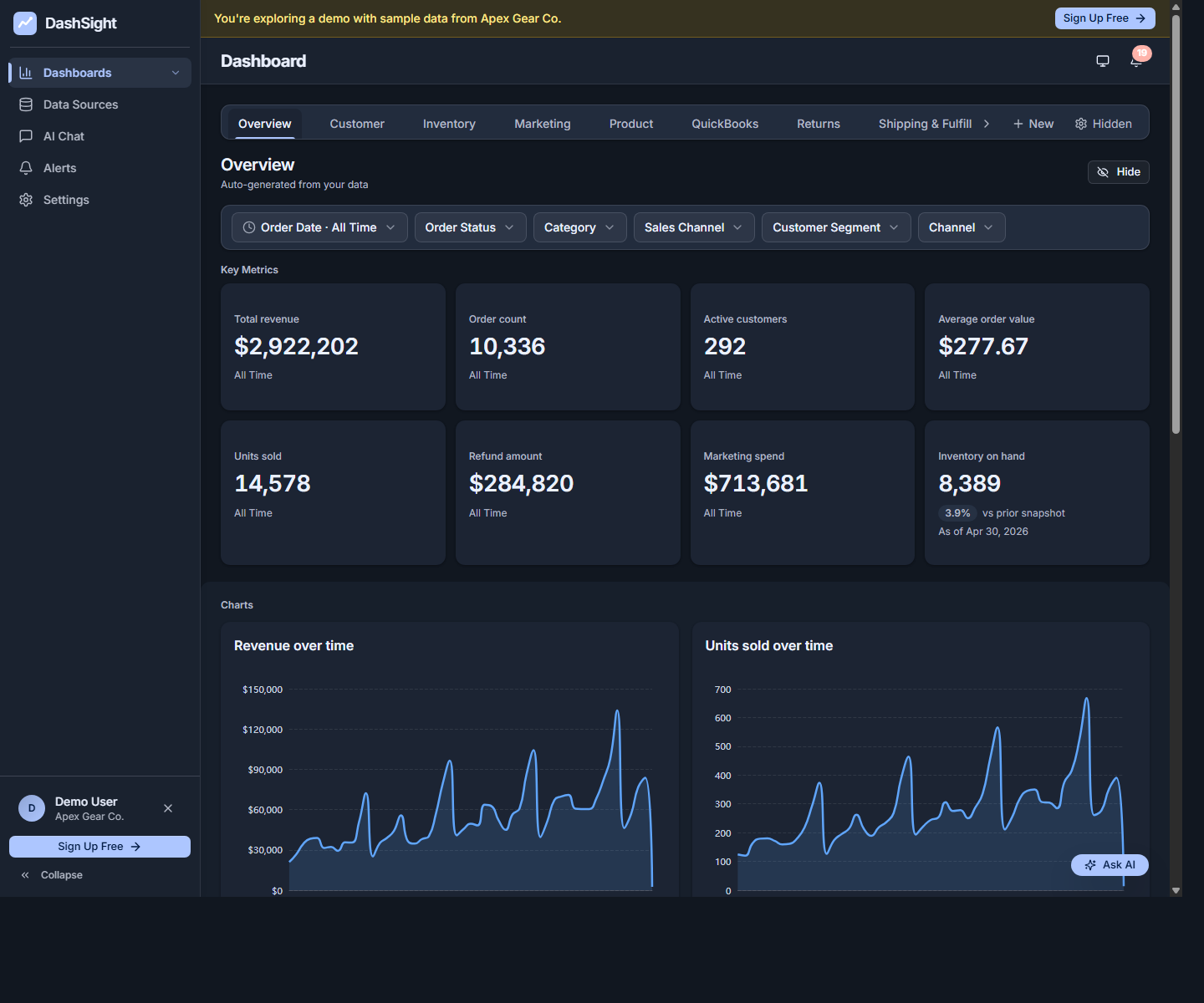
Upload any CSV or Excel file and DashViz auto-generates a dashboard with charts, KPIs, and breakdowns. Ask questions in plain English. Set alerts. The universal entry point for any business data not in a connected SaaS.
14-day trial · No credit card required
Upload a CSV or Excel file to start exploring DashViz with your own business data.
What you get
- Auto-generated dashboard from any CSV or .xlsx file — no integration required.
- Re-upload anytime to refresh the data; DashViz handles incremental updates automatically.
- AI chat over uploaded data — ask 'what's the average order value by month?'
- The universal entry point — works for any data export from any tool.
Setup in 3 steps
Drop a file
Drag a CSV or Excel file into DashViz, or click to browse.
Confirm what DashViz read
DashViz reads columns, classifies them (revenue, date, customer, etc.), and asks you to confirm anything ambiguous.
Get your dashboard
Your dashboard generates with the metrics that match your data — typically less than 60 seconds.
Metrics DashViz auto-detects from CSV & Excel
- Auto-detected: revenue, customer, date, product, channel, and other common business columns
- Time series on any date column
- Numerical aggregations (sum, average, count, distinct)
- Categorical breakdowns (group by any text column)
When CSV & Excel's built-in reporting is enough
Excel itself has good charting tools for one-off analysis. DashViz adds value when you want a stable dashboard you can return to, when you want to ask plain-English questions of the data, or when you want alerts watching the data over time.
Common questions about CSV & Excel + DashViz
What file formats work?
CSV, TSV, and Excel (.xlsx). DashViz handles common encodings (UTF-8, Latin-1) and most date formats automatically.
How big can the file be?
Up to your plan's row limit. Free Trial 25K, Starter 1M, Pro 5M, Enterprise limits are scoped with the customer.
Can I re-upload to refresh?
Yes — re-upload the same file with new data and DashViz handles incremental updates automatically. Your dashboard preserves customizations.
What if my columns have weird names or extra junk rows?
DashViz handles header rows, blank rows, and unusual column names automatically. If something is genuinely ambiguous, DashViz asks you to confirm before generating the dashboard.
Ready to explore CSV & Excel analytics?
Start your 14-day free trial. No credit card required.